Networks Domain
Stop fighting your Wi-Fi and learn how to build your Networks with the Smart Homies
Imagine your smart home as a busy neighborhood where every device, your thermostat, doorbell camera, smart lights, and TV, needs to send and receive messages constantly. The Networks Domain is simply the roads, highways, and delivery routes that make all of those messages possible. Just as a well-planned neighborhood needs more than one road to keep traffic moving safely and efficiently, most smart homes intentionally run on multiple networks. You might have one network dedicated to your security cameras so that footage stays private and separate, another that your kids' phones and tablets connect to, and yet another that your smart bulbs and door locks use because they speak a different "language" than your regular Wi-Fi. Keeping these networks separate is a lot like having different lanes for different types of traffic; everything moves faster, more reliably, and more securely.
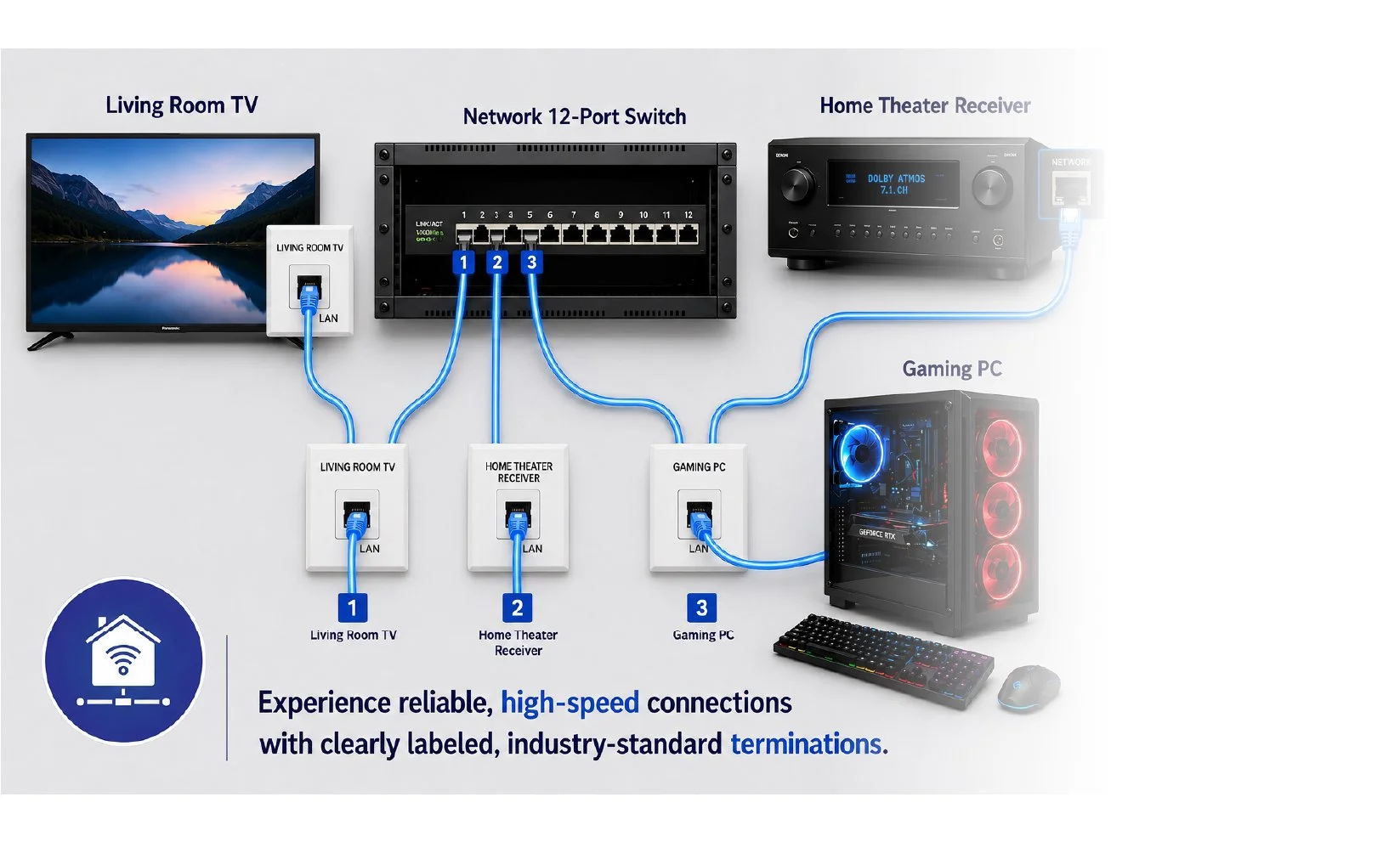
The physical side of networking is like the plumbing in your home — when it's installed correctly and protected properly, you never have to think about it again. Cables must be routed safely, shielded from damage, and terminated correctly to maintain strong signals. For a home office, a medical device, or a gaming console, a hard-wired port plugged directly into the wall delivers the fast, steady, dependable connection that Wi-Fi simply cannot guarantee. Wireless handles convenience beautifully, but wired handles the moments when a dropped signal is not an option.
The reason this is called the Networks Domain, not the Network Domain, is because your smart home never relies on just one network. It's a team of networks working together behind the scenes, which is exactly why it earns the plural. This domain is one of the four cornerstones of the A.T.O.M. Framework, which stands for Automated Technology for Optimized Management, the blueprint that the Smart Homies community uses to plan and maintain smart homes the right way. Think of the framework like the four legs of a table; if one leg is wobbly, the whole table is unstable. Networks are the leg that everything else quietly depends on. Without solid networks in place, automations can't fire on cue, smart devices can't talk to each other, and managing your home day-to-day becomes a guessing game. The Smart Homies rely on this framework as a shared roadmap, a practical checklist that ensures every part of a smart home is thoughtfully built and ready to perform.
Benefits of a High Networks Score
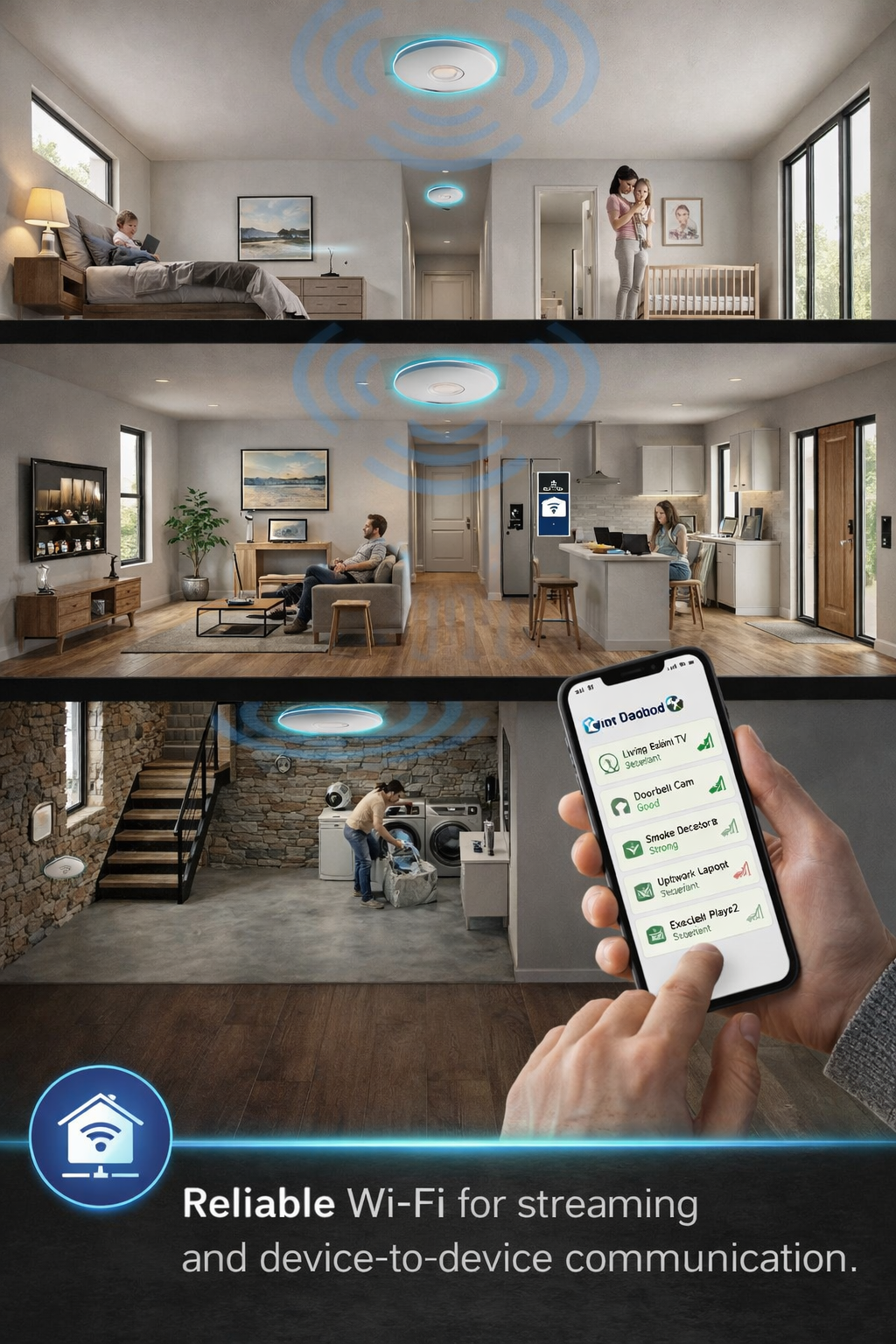
Whole-Home Connectivity: A properly designed network ensures every device in your home stays connected and communicates reliably, eliminating the frustration of dropped signals, slow responses, and devices going offline.
Improved Security: Separating your networks keeps sensitive devices, such as security cameras and smart locks, isolated from everyday devices, reducing the risk of unauthorized access to your home and personal data.
Better Performance Where It Matters: Hard-wired connections in key areas like home offices, medical devices, and gaming consoles deliver the fast, stable speeds that Wi-Fi alone simply cannot guarantee.
A Smarter, More Responsive Home: When the network is solid, every other part of your smart home works better, automations trigger on time, devices respond instantly, and nothing falls behind because of a weak connection.
Built to Grow With You: A well-planned network is designed with the future in mind, making it easy to add new devices, expand coverage, or upgrade equipment without having to start over from scratch.
The Smart Homies walk through every corner of a smart home's network, so you never have to wonder why a device stopped working or why your Wi-Fi is slow in the back bedroom.
Wired Infrastructure: Verifies that network cables are properly installed, protected, and terminated to deliver consistent, high-speed connections to critical areas like home offices, medical devices, and gaming setups.
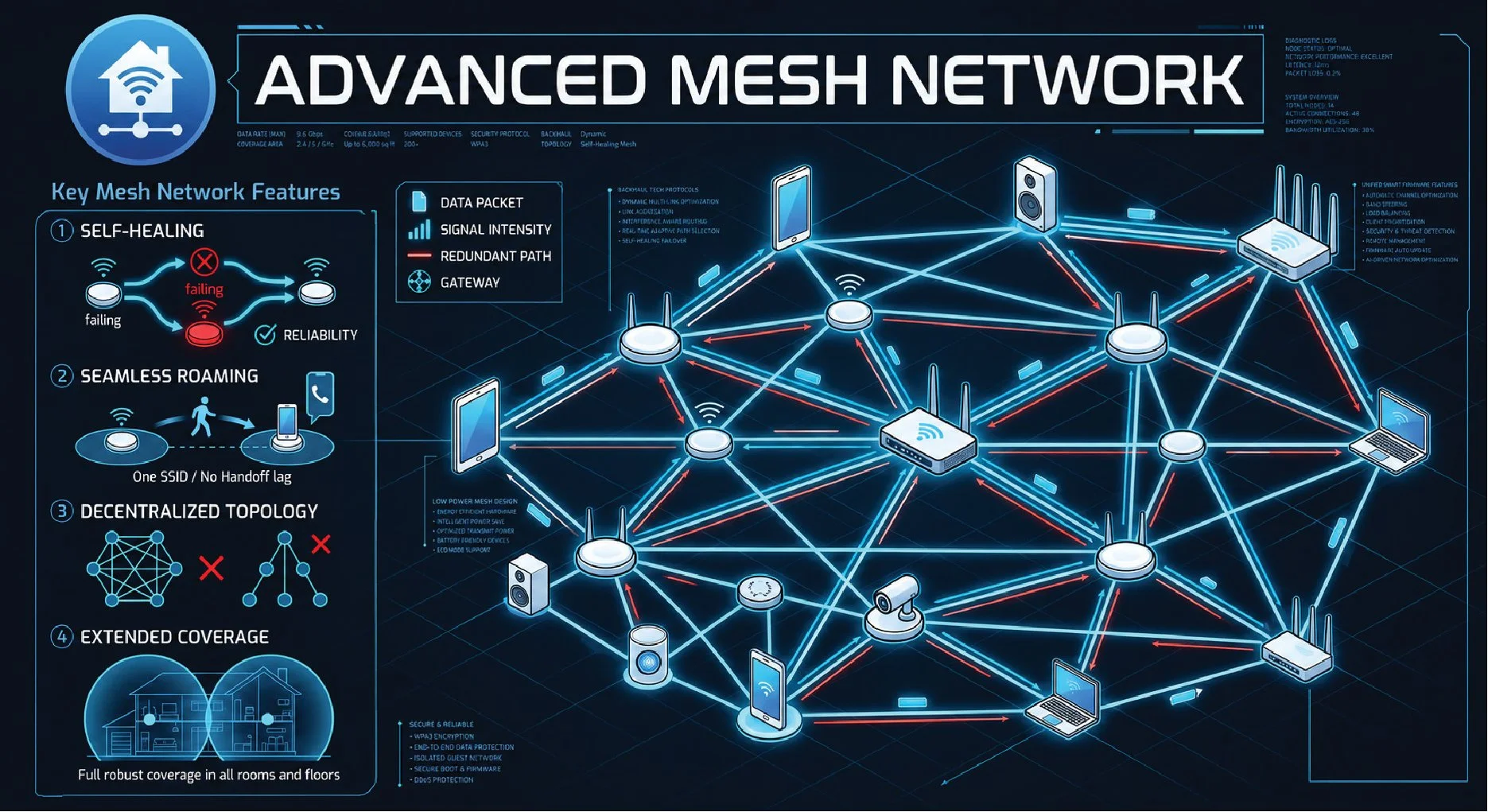
Wireless Coverage: Evaluates Wi-Fi access point placement to ensure a strong, seamless signal throughout every room and outdoor space with no dead zones.
Network Segmentation: Confirms that separate networks are in place to keep security cameras, smart devices, and personal devices organized, secure, and running efficiently.
Device Connectivity & Protocols: Reviews the mix of wireless communication standards in the home, such as Wi-Fi, Zigbee, and Z-Wave, to ensure all smart devices are speaking the right language on the right network.
Network Security: Assesses password strength, router settings, firewall protections, and guest network configurations to keep the home network safe from unauthorized access.
How it WorksLearn with the Smart Homies to build a network that keeps every device connected, secure, and performing at its best.
Standards & References
TIA-568: The go-to standard for structured cabling in homes and buildings, defining how network cables should be installed, terminated, and tested to ensure reliable, high-speed wired connections.
IEEE 802.11 (Wi-Fi): The family of standards governing how wireless networks operate in your home, covering everything from basic connectivity to the latest Wi-Fi 6 and Wi-Fi 7 speeds and efficiency improvements.
IEEE 802.3 (Ethernet): The standard that defines how wired network connections work, ensuring that devices plugged directly into a network port communicate consistently and at the expected speeds.
ANSI/TIA-570: A residential cabling standard specifically designed for homes, providing guidelines for structured wiring that supports data, telephone, video, and smart home systems throughout the house.
NFPA 70 (National Electrical Code): The nationally recognized safety standard that governs how all electrical and low-voltage wiring — including network cabling — must be installed safely inside a home to prevent hazards and meet code requirements.